
Screenshots
About La ban Phong thuy - Compass
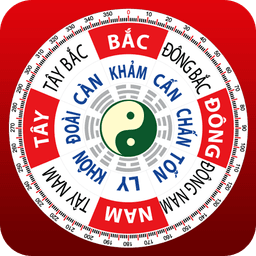
La ban Phong thuy - Compass is a free feng shui compass app that measures house direction, door orientation, kitchen alignment, and office positioning with precision. Built for feng shui practitioners, students, and anyone seeking to apply directional principles to their space, this compass delivers accurate readings through your device's sensor.
The app features multiple compass formats to suit different feng shui systems. Choose from digital compass, pre-celestial eighth compass, 24 azimuth compass, 60 dragon ground dragon, 72 dragon cross paint, and age compass options. Each format displays on an intuitive interface, letting you switch between map, satellite, and field view modes depending on your environment and preference.
Accuracy is built in. The compass includes a sensor calibration function that adapts to your specific device — useful for phones and tablets that may have directional drift (such as pointing east when north is intended). Calibration options in Settings let you correct for your hardware's natural variance. A compass lock function prevents unwanted rotation, keeping your reading stable once aligned.
For the most accurate results, the app recommends measuring away from electromagnetic interference. Avoid standing near computers, electrical equipment, or vehicles, and remove metal objects from your body during measurement. These precautions ensure your readings reflect true directional alignment rather than local interference.
The compass auto-rotates to track your device's orientation in real time, displaying both direction and your geographic coordinates. This makes it useful for mapping property lines, positioning entrances, or aligning workspace layouts according to feng shui principles.
La ban Phong thuy - Compass runs on any Android phone or tablet with a built-in digital compass sensor. If your readings seem off, the app recommends checking that your device has a compass sensor and that calibration is set correctly — many issues resolve with a quick recalibration in the Settings menu before leaving a rating.
The development team continues adding features regularly, so expect enhancements to the compass modes, map integration, and calibration options over time.
Pros & Cons
Pros
- Multiple compass formats support different feng shui systems and traditions
- Built-in sensor calibration corrects for device-specific directional drift
- Map, satellite, and field view modes adapt to various environments
- Compass lock prevents rotation drift once you've aligned your reading
Cons
- Requires device compass sensor; won't work on phones without hardware
- Electromagnetic interference near electronics, vehicles, or metal significantly degrades accuracy
- Accuracy depends on manual calibration; uncalibrated readings may be substantially off
- Android-only; no iOS or desktop version available
Related Apps

HWiNFO
Hardware monitoring for Windows—track CPU temp, GPU load, fan speed, voltage in real time.

TransMac
Read Mac drives and DMG files on Windows. Access APFS/HFS+ storage and create disk images.

Advanced SystemCare Free
System optimization tool: clean, repair, and secure your PC. Remove malware, fix errors, and boost performance.

Display Driver Uninstaller (DDU)
Driver uninstaller for GPU and audio — removes residual files for clean Windows updates

Glary Utilities
PC maintenance and optimization suite — clean, repair, and speed up your Windows computer in one action.

Universal ADB Drivers
ADB drivers for Android: Connect any smartphone to Windows PC without manufacturer software.
Latest Articles

Best AI admin task automation apps for desktop in 2026 (we tested 7)
Jul 11, 2026

Best AI coding tutor apps for desktop in 2026 (we tested 7)
Jul 11, 2026

Best apps for the *arr media stack on desktop in 2026 (we tested 7)
Jul 11, 2026

Best classic Doom source port apps for desktop in 2026 (we tested 7)
Jul 11, 2026

Best FFXIV companion apps for desktop in 2026 (we tested 7)
Jul 11, 2026